ORIENTAL TIME

New Garmin watch faces

Five new designs, CA$6 each. Try for one hour before permanent activation.

Try it on your watch first. Buy permanent activation when it fits.

Find compatible designs →
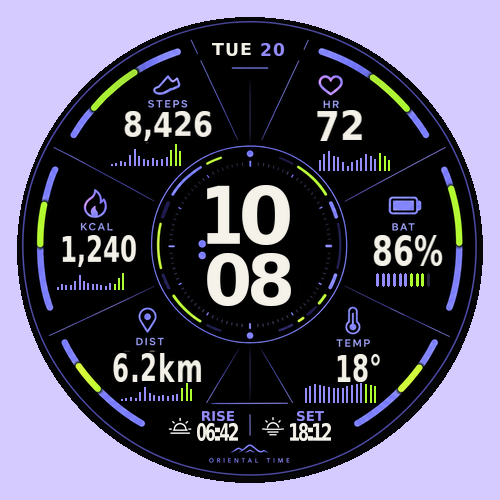
SECTOR Garmin watch face previewDigital & markets

SECTOR

Six violet-green data sectors, bold time and clear activity, heart-rate, battery and weather charts.
1-hour trialCA$6 · permanent
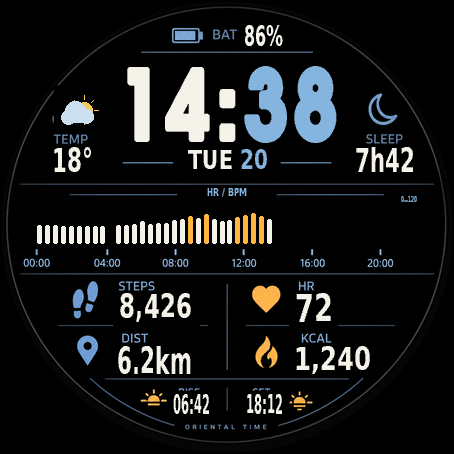
STRATA Garmin watch face previewDigital & markets

STRATA

Layered ice-blue and orange data, a selectable central chart and a dedicated always-on layout.
1-hour trialCA$6 · permanent
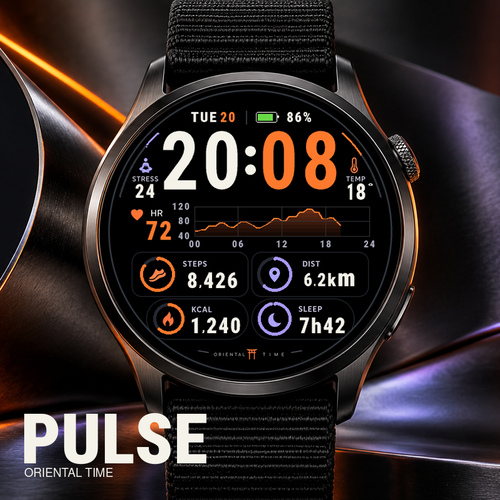
PULSE Garmin watch face previewDigital & markets

PULSE

Orange-violet time, a daily heart-rate trend and four data cards, with round and rectangular layouts.

1-hour trialCA$6 · permanent
MONO Garmin watch face previewDigital & markets

MONO

Bold monochrome time, fine outline icons and clear rows for everyday activity and weather.
1-hour trialCA$6 · permanent
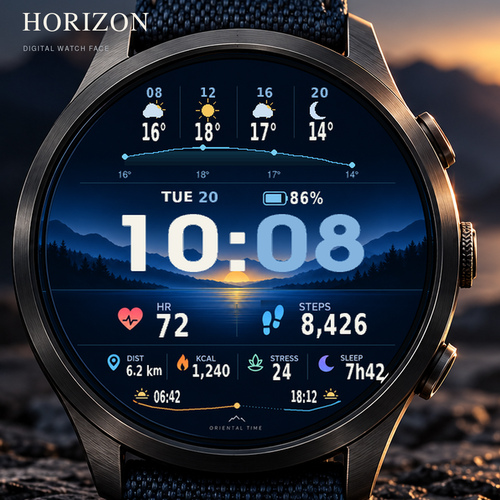
HORIZON Garmin watch face previewOutdoor & sport

HORIZON

Mountain-lake scenery, four forecast periods and a temperature trend, with round and rectangular layouts.

1-hour trialCA$6 · permanent

The current official Garmin store list is authoritative.

Browse all watch faces ↗
ORIENTAL TIME · SUPPORT

Make it yours

Permanent activation pricing is shown on each product page. Add your model and Install ID to ask the creator about payment and activation.

This inquiry form prepares an email draft; it does not create an order or charge you. For designs with Stripe checkout, use the purchase button on the product page.
dhdym2019@gmail.com ↗
ORIENTAL TIME · PERMANENT ACTIVATION

Your permanent activation

—

One-time purchase · one Install ID for this watch face

Install and check compatibility first. Enter this design’s Install ID and Garmin model on Stripe. The creator verifies the settled payment and sends a code manually. Contact the creator before paying if you need urgent delivery.

Check your Install ID before paying
  1. Open Connect IQ → My Device → My Watch Faces → this design → Settings.
  2. Find Install ID and copy the complete value. If it is missing, send the creator a screenshot of this design’s settings.
  3. This is not your name, email, watch model or watch serial number. Do not invent an ID or copy the example.

This local check verifies the format and does not generate a code. You still enter the full Install ID on Stripe.

Next, enter this watch face’s full Install ID, Garmin model and checkout email on Stripe. Enter card details only on Stripe.

Already purchased? Open your saved order link before buying again
dhdym2019@gmail.com ↗Full purchase & activation guide ↗
Garmin Connect IQ

Install / try on Connect IQ

If the store does not open, copy the link into Safari or Chrome, then follow the Connect IQ installation steps.

Open the official Connect IQ store ↗