ORIENTAL TIME / GARMIN WATCH FACES

Buddhist, Taoist & Folklore Garmin Watch Faces

Discover Garmin watch faces inspired by Guanyin, Buddhist and Taoist figures, Zhong Kui and Fortune Gods, with official previews and model lists.

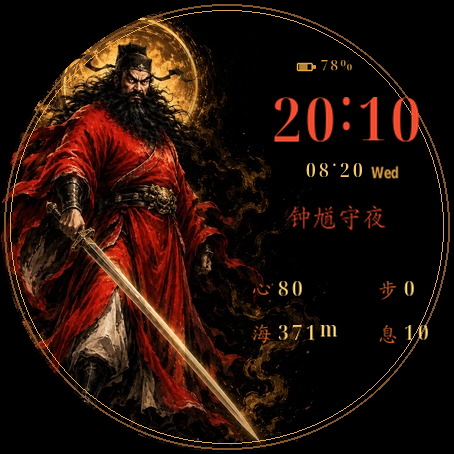
These designs draw on distinct artistic traditions. Guanyin Black Gold uses Guanyin and Heart Sutra imagery; Dao & Buddha Realm presents eighteen figures; Zhong Kui and Fortune Gods explore guardian and auspicious motifs from Chinese folklore. Watch the related short films to discover the artwork before choosing a design.

Choose a design you love

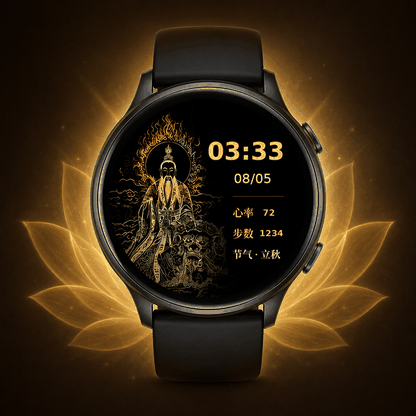
Guanyin Black Gold Garmin watch face previewEastern art

Guanyin Black Gold

Eight rotating Guanyin scenes and a vertical Heart Sutra panel, rendered in delicate black and gold.
1-hour trialCA$6 · permanent
Fortune Gods Garmin watch face previewEastern art

Fortune Gods

Watercolour Fortune Gods, golden clouds and ceremonial patterns. A joyful expression of Eastern art.

1-hour trialCA$6 · permanent

Compatibility and trial terms vary. Open a product page, confirm the current Connect IQ device list, and try the design on your watch.

Choosing & installing a watch face

How to Choose a Chinese Culture Garmin Watch Face ↗Garmin Watch Face Installation & Activation Guide ↗AMOLED vs MIP / Solar Garmin Watch Faces ↗
CHINESE CULTURE, ON YOUR WRIST

Chinese culture, part of your every day.

For Garmin users who enjoy Chinese culture: explore figurative art, auspicious stories and traditional timekeeping.

New to these designs? Read the Chinese culture watch-face guide ↗
ORIENTAL TIME · SUPPORT

Make it yours

Permanent activation pricing is shown on each product page. Add your model and Install ID to ask the creator about payment and activation.

This inquiry form prepares an email draft; it does not create an order or charge you. For designs with Stripe checkout, use the purchase button on the product page.
dhdym2019@gmail.com ↗
ORIENTAL TIME · PERMANENT ACTIVATION

Your permanent activation

—

One-time purchase · one Install ID for this watch face

Install and check compatibility first. Enter this design’s Install ID and Garmin model on Stripe. The creator verifies the settled payment and sends a code manually. Contact the creator before paying if you need urgent delivery.

Check your Install ID before paying
  1. Open Connect IQ → My Device → My Watch Faces → this design → Settings.
  2. Find Install ID and copy the complete value. If it is missing, send the creator a screenshot of this design’s settings.
  3. This is not your name, email, watch model or watch serial number. Do not invent an ID or copy the example.

This local check verifies the format and does not generate a code. You still enter the full Install ID on Stripe.

Next, enter this watch face’s full Install ID, Garmin model and checkout email on Stripe. Enter card details only on Stripe.

Already purchased? Open your saved order link before buying again
dhdym2019@gmail.com ↗Full purchase & activation guide ↗
Garmin Connect IQ

Install / try on Connect IQ

If the store does not open, copy the link into Safari or Chrome, then follow the Connect IQ installation steps.

Open the official Connect IQ store ↗